
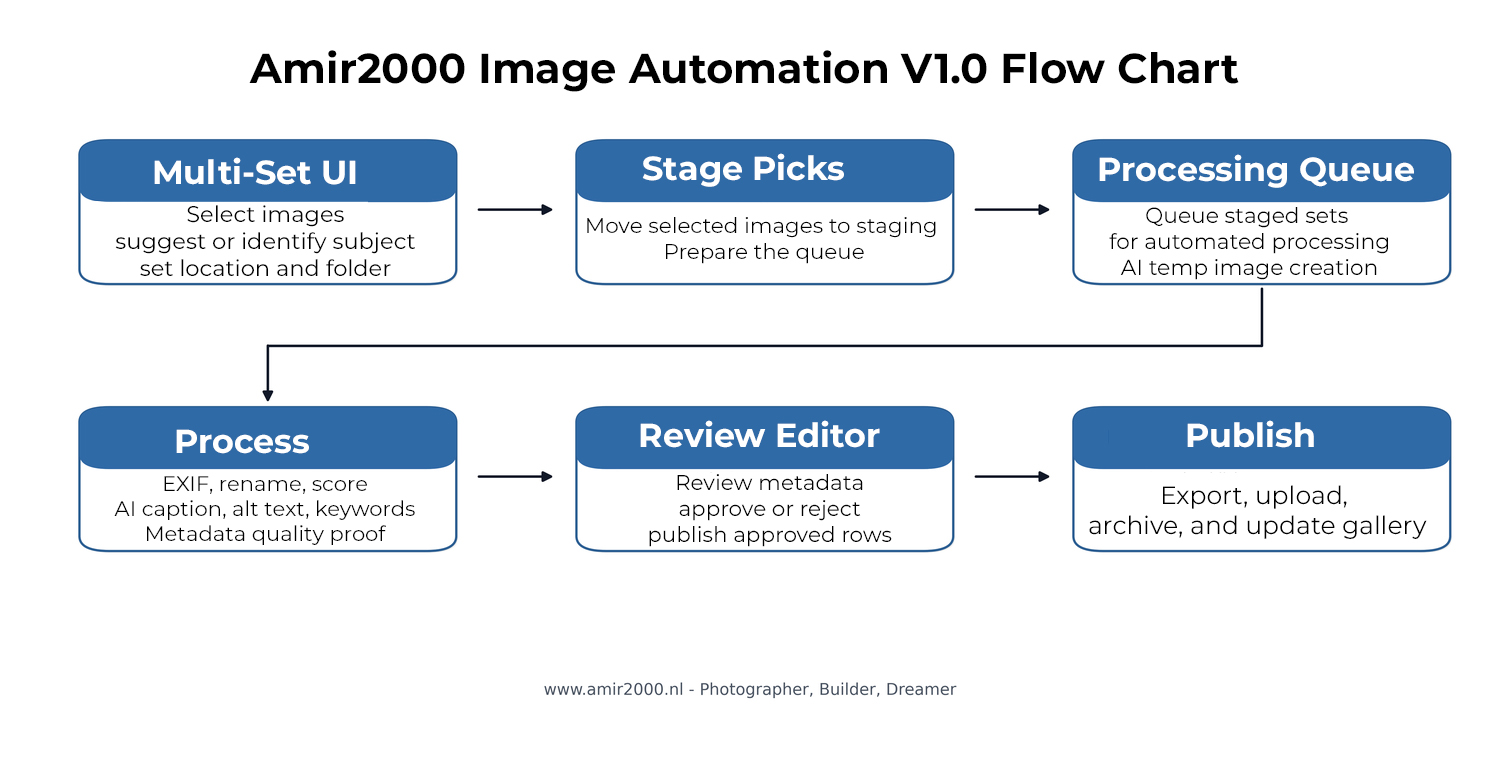
A workflow that works once is useful. A workflow that can be repeated, checked, repaired, reviewed, uploaded, and understood later is the real step forward. Amir2000 Image Automation V1.0 is that step after my earlier production workflow update, From pipeline to production workflow update. The project has moved from a working image pipeline into a documented, review-gated workflow that also creates a foundation for future ML work.
The project started with a practical photography operations problem. Larger image batches take too much manual work if every file has to be renamed, checked, described, keyworded, uploaded, archived, and tracked by hand. That process is manageable for a few photos. It becomes slow and fragile when the batch grows. V1.0 is built to reduce that friction while keeping control in the workflow.
Portfolio and CV:
Work Samples
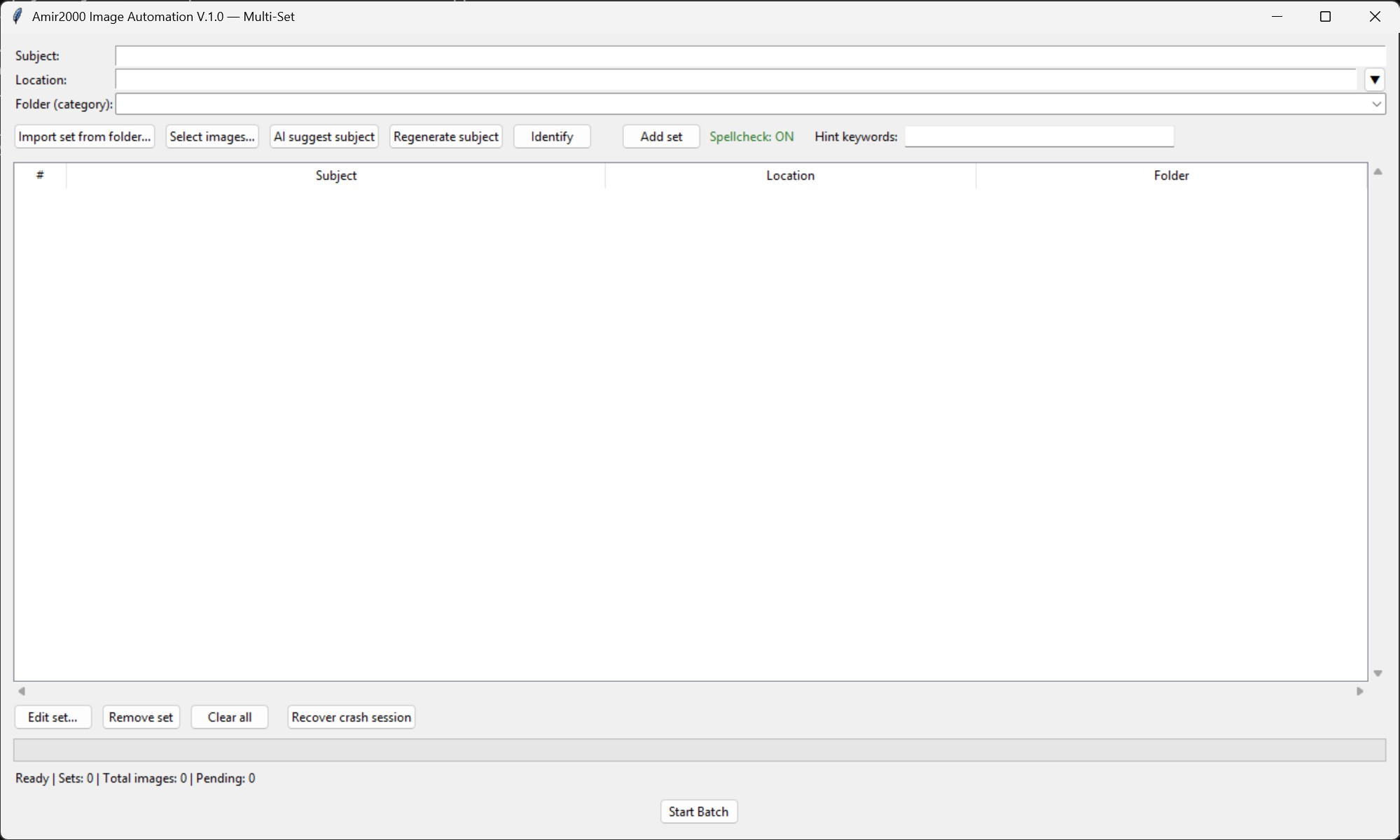
The Multi Set screen is where the practical part begins. It lets me prepare larger batches in a structured way instead of treating every image as a separate manual task. This matters because each set can have its own context. A water drop series, an aviation set, a macro set, or a travel location should not all be handled as if they were the same thing.
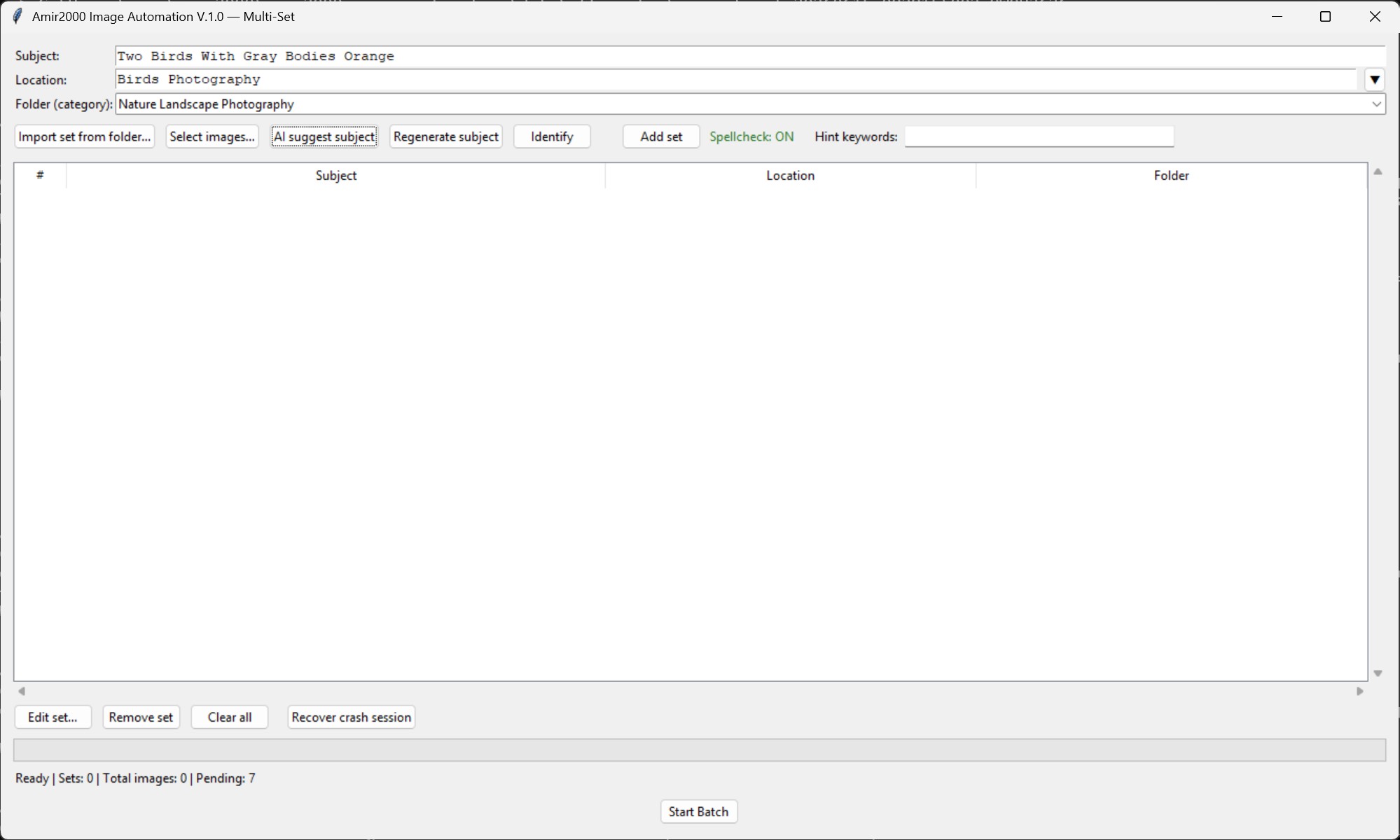
AI now helps earlier in the workflow by suggesting subjects before the batch moves forward. That does not make the system autonomous, and that is intentional. The suggestion is useful because it gives the workflow a better starting point. It can help avoid empty or weak subject fields, but the final decision still stays inside the review process.
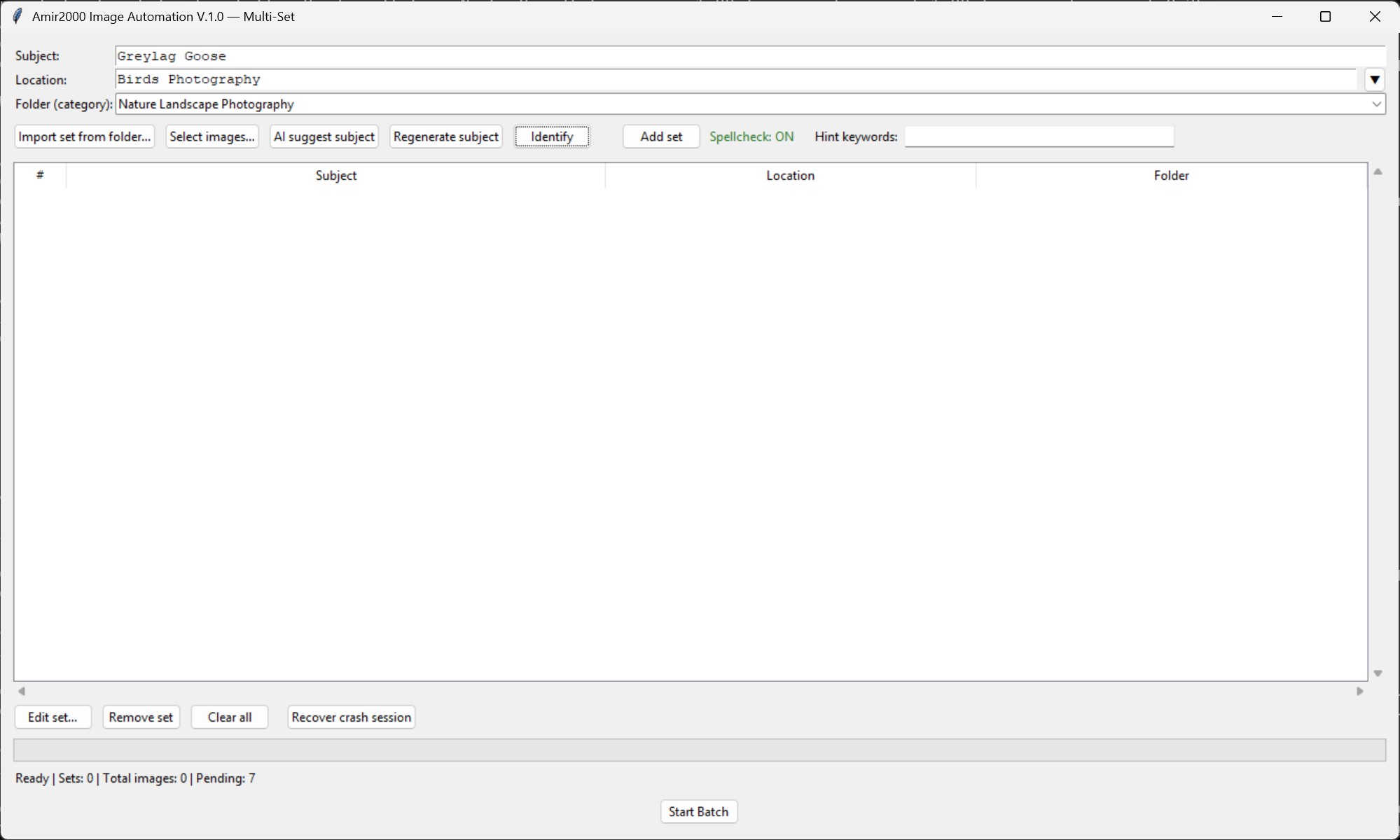
The subject identification step is important because metadata quality depends on context. If the subject is wrong, the caption, alt text, keywords, and filename can all drift in the wrong direction. V1.0 does not pretend this is perfect. Instead, it creates a workflow where subject input, AI assistance, validation, and review all work together.
After intake, the system handles EXIF extraction, deterministic renaming, caption generation, alt text generation, keyword generation, and database-ready metadata. The goal is not to create random text. The goal is to prepare usable, consistent, traceable records for the website.
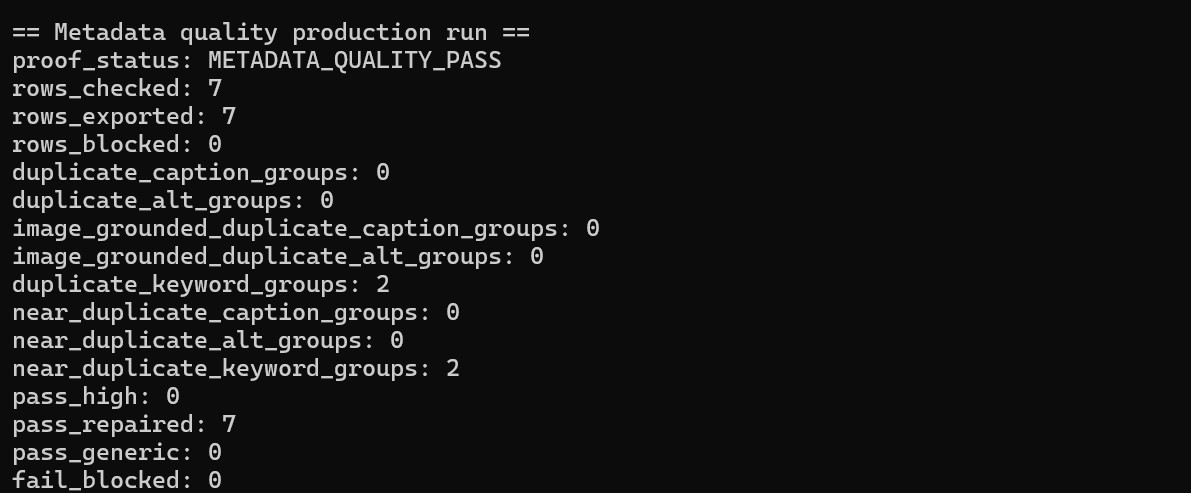
The biggest V1.0 change is metadata quality proof. A metadata field can exist and still be weak. A caption can be generic. Keywords can repeat the same idea. Alt text can be present but not useful. V1.0 treats metadata as something that needs evidence, not only text in a field.
Each run can now leave structured evidence behind: generated metadata, quality checks, repair attempts, repair outcomes, accepted rows, rejected rows, blocked rows, review decisions, and repeatable logs. Bounded repair is important here. The workflow can try to fix specific problems, but it does not loop forever and it does not silently push weak rows through as if everything is fine.
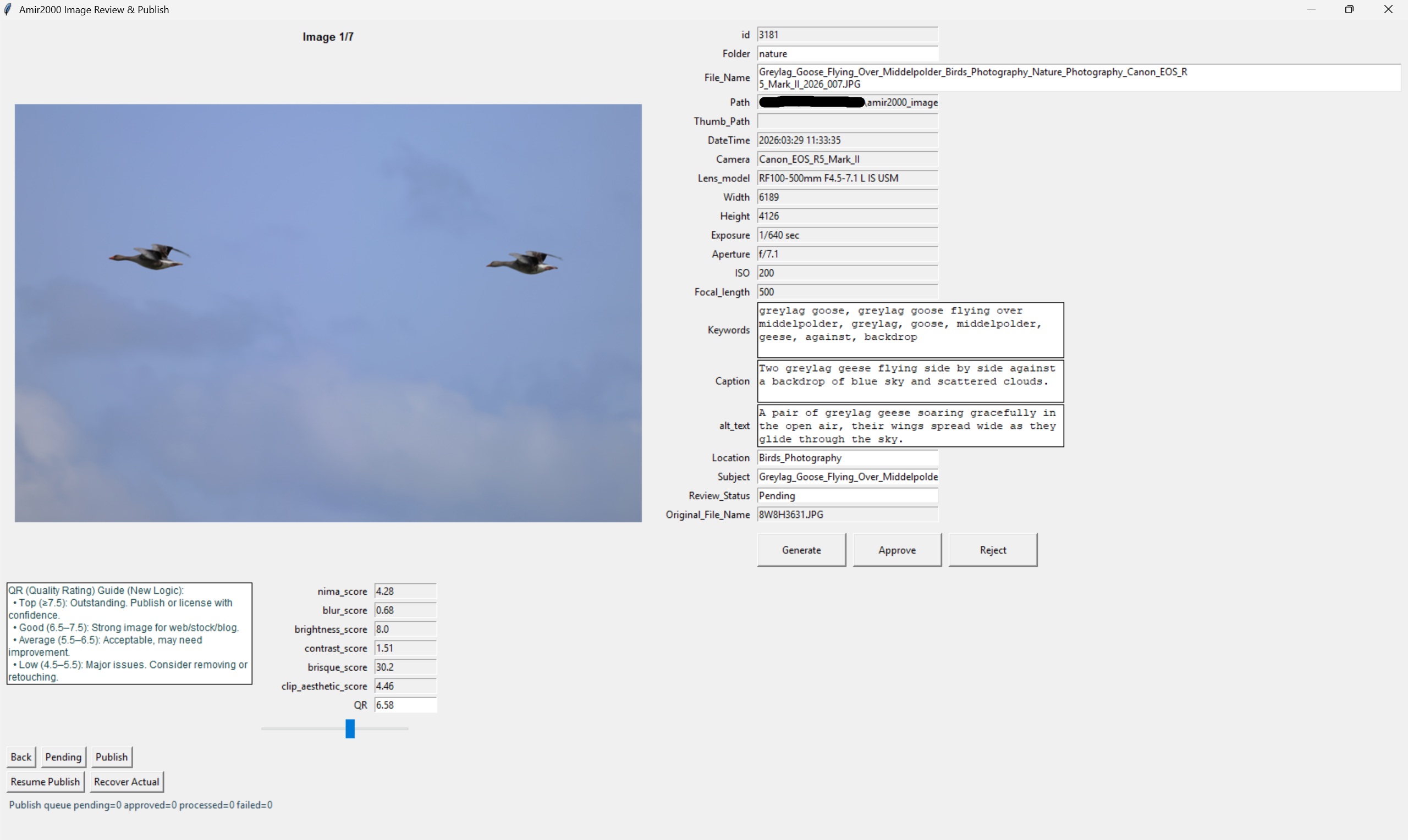
The review editor is still the gate. This is where the system stays honest. AI can suggest. Scripts can validate. Quality checks can flag issues. But review is where the decision happens. That is the right setup for my photography archive because the images are part of a real website, not a temporary experiment.
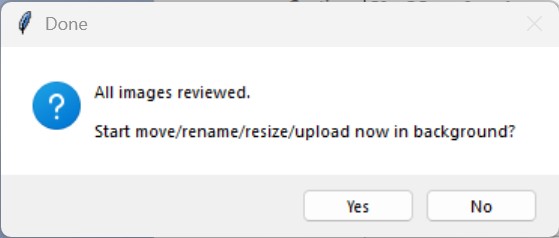
Once the approved rows are ready, the upload stage connects the local-first workflow to the public website. This is where prepared files, metadata, archive behavior, and gallery updates come together. The important part is that upload is not a blind final button. It follows a chain of checks and decisions.
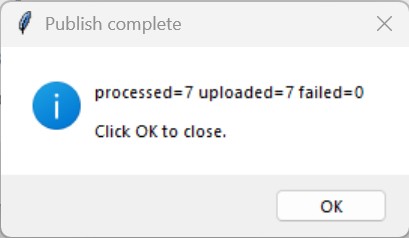
This is also where the ML foundation becomes visible. The workflow is not only producing upload-ready images. It is producing structured examples that can be used later to evaluate metadata quality, compare model output, improve subject identification, and study where the process still needs hardening.
Approved rows can become positive examples. Rejected rows can show failure patterns. Repaired rows can show what the workflow had to fix. Logs can show where the process is stable and where it is still fragile. That is more useful than simply trying another AI model and hoping the text looks better.
The hard part was not adding AI. The hard part was building guardrails around it: validation, duplicate checks, deterministic filenames, rollback behavior, bounded retries, repair limits, review gates, and logging. Without those controls, AI output becomes another cleanup task. With those controls, AI becomes one stage inside a practical workflow.
V1.0 is not perfect, not fully autonomous, and not a finished ML system. It is a local-first, review-gated operational workflow that is now shipped, documented, connected to the public case study, and available through the GitHub repository.
The full public case study is here:
https://www.amir2000.com/case-media-automation.php
The GitHub repository is here:
https://github.com/amirnl2000/amir2000_image_automation
More stories are in the Photography Tools blog category.
Amir
Photographer, Builder, Dreamer
amir2000.nl
Comments
No comments yet. Be the first to comment!