
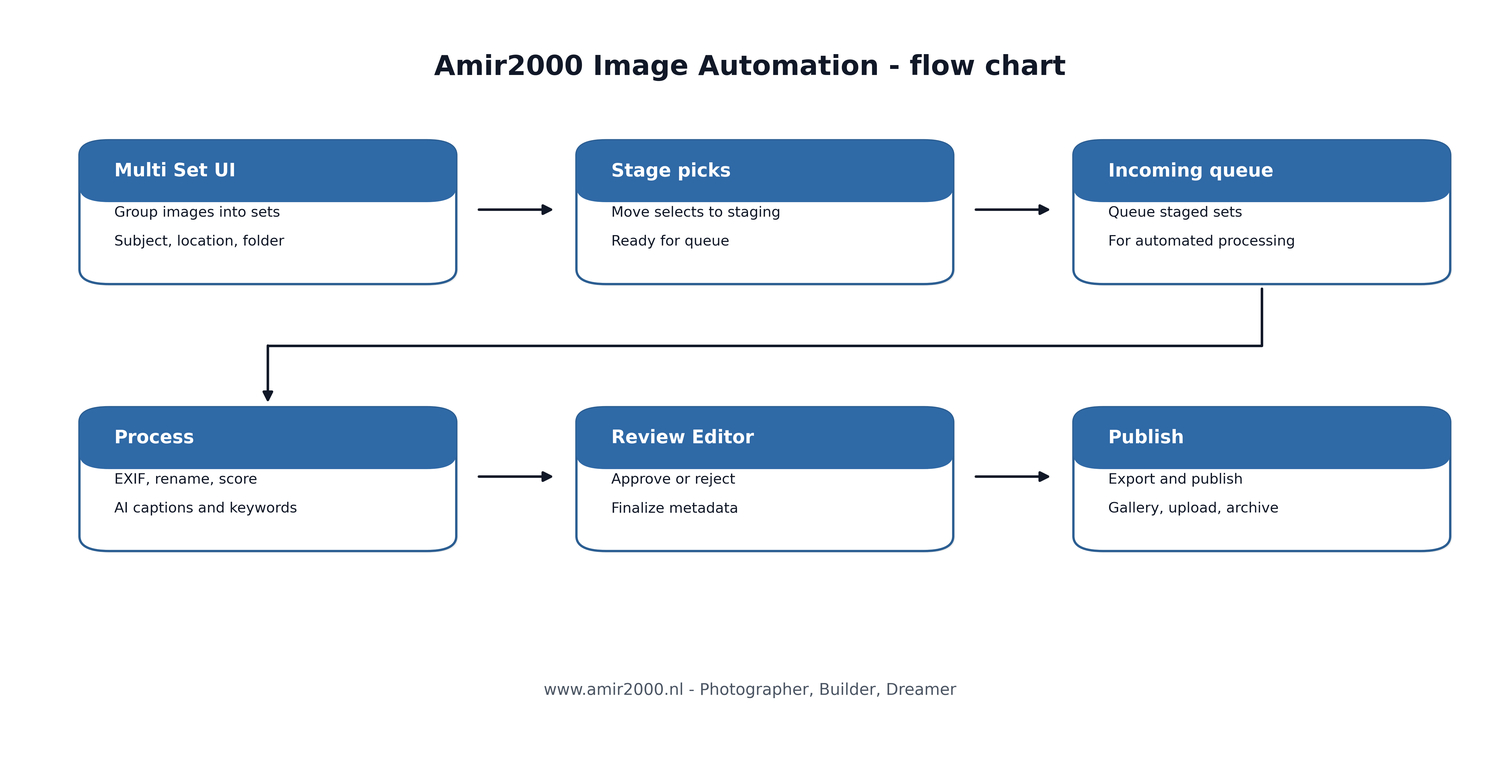
Automation flow update with Multi Set and staging.
This post is a focused update on my image automation workflow for amir2000.nl, built around the Multi Set batch launcher.
The goal stays the same: fewer manual steps between a finished edit and a publish ready gallery output.
This is a practical Photography Tools update, and I keep it grounded in what the software now does, not in the photos themselves.
If you like building workflows, this belongs under Photography Tools articles on amir2000.nl.
There are already three earlier posts in this series, and they cover the larger milestones that got the project to a usable end to end flow.
If you want the full arc, start here and come back after.
- Photography automation pipeline amir2000
- Photography automation major update
- From folder to gallery in one flow
When you run the same workflow every week, tiny issues become the real bottlenecks, not the big headline features.
What changed since the last posts
The biggest shift is that the workflow is now more strict about boundaries between selecting images and processing images.
That sounds boring, but it is the difference between a confident batch run and a batch run that needs babysitting.
I also tightened the review stage behavior so decisions like approve, reject, naming, and metadata edits stay consistent across the outputs.
Finally, I prepared the project for a cleaner public snapshot so it can live on GitHub without leaking local paths, private files, or secrets.
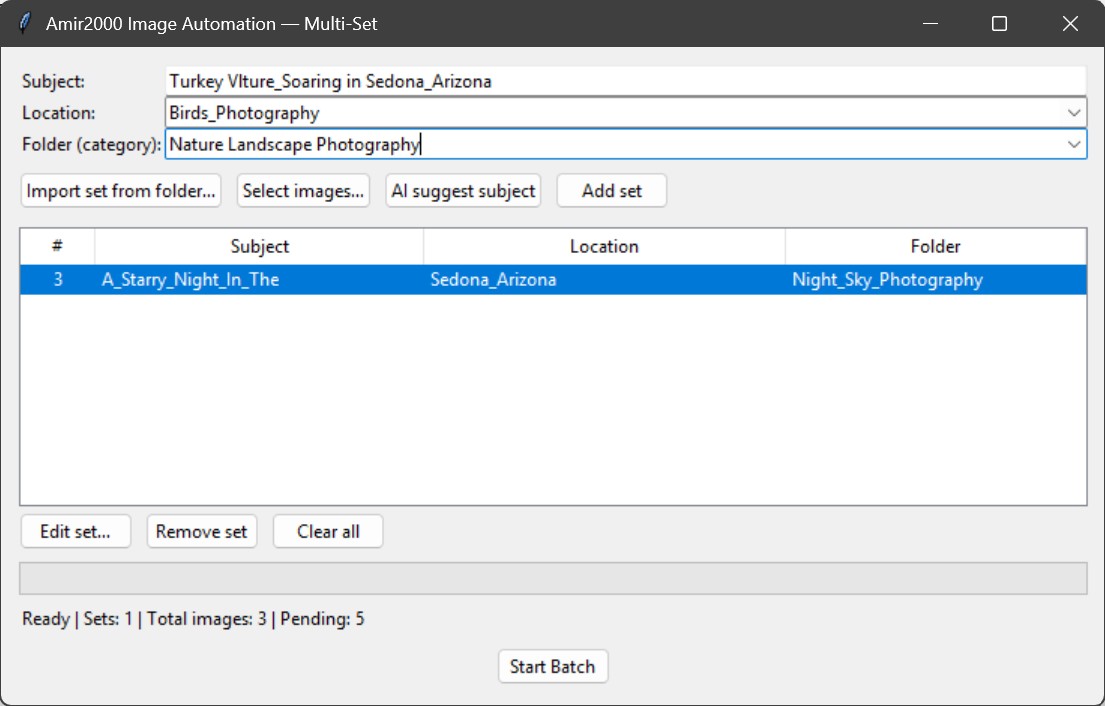
This screenshot shows the Multi Set launcher, which is where sets are defined before the batch starts.
You can see the three core inputs that drive the pipeline: Subject, Location, and Folder category.
The table view matters because it makes each set visible as a unit, which helps avoid accidental mixing when you prepare multiple batches.
The status line at the bottom is small, but it is important feedback when you are building sets quickly and you want to know what is pending.
Staging first, then processing
The staging step is now the center of the flow, and it is the reason the process feels calmer.
Instead of processing directly from wherever the files happen to live, selected images are gathered into a controlled staging area first.
That creates a clean, predictable input set, which makes reruns safer when something fails mid run or when you add one more image later.
It also reduces human error because you no longer rely on memory to know which files were already included in which set.
Review stage: fewer annoying edge cases
The review stage is where automation meets taste, so it must be fast and it must be correct.
I spent time removing small paper cuts that break the flow, like naming mismatches and metadata formatting issues that create extra cleanup work later.
One example is generated alt text formatting, where even tiny characters can create messy HTML output if you are not strict about it.
These fixes are not glamorous, but they are exactly what makes the review editor feel like a tool you can trust at scale.
Clean releases: backup, sanitize, push
A public repo is part of the project now, not an afterthought, so release hygiene matters.
My baseline is simple: backup the working version, sanitize the repo version, and only then commit and push the cleaned snapshot.
Sanitizing means keeping secrets and private data out, but it also means making the structure readable so someone can follow the workflow without guessing.
If you want to see the code and how the project is organized, the repo is here: amir2000_image_automation on GitHub.
This project keeps moving in the direction I care about most: less time managing files, and more time doing the work that only I can do, shooting and editing.
If you want the full arc, start with the earlier milestone posts I listed above, then come back here for the reliability layer that makes the workflow durable.
More updates will come, but the north star stays the same: automation should remove friction, not create a new job maintaining the automation itself.
Thanks for following the build, and if you are also building pipelines, I hope this gives you a few ideas to steal.
Amir
Photographer, Builder, Dreamer
amir2000.nl
Comments
No comments yet. Be the first to comment!